Designing in Chat
Chat is the main way you design in DRONA. You describe what you want in plain language; the agent picks real parts, checks them against each other, and shows the result in 3D as it works. You never edit a spec sheet by hand unless you want to.
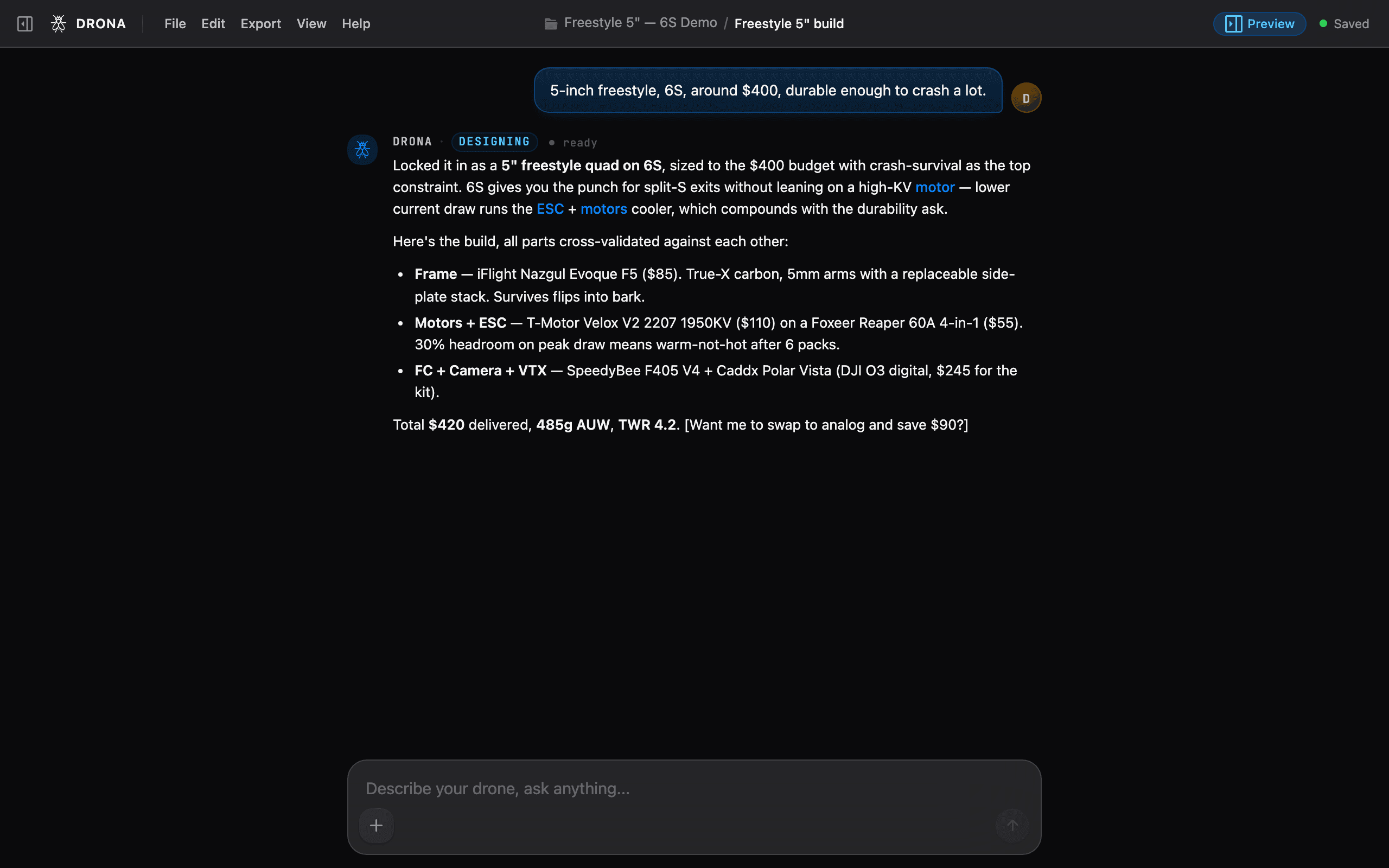
Writing a good prompt
Give DRONA the constraints that actually matter to you. The more intent you share, the closer the first design lands. Useful things to mention:
- Class / size - 5-inch freestyle, 7-inch long-range, tiny whoop, fixed-wing mapper, cinewhoop, heavy-lift octocopter.
- Battery - 4S / 6S / 12S, or a target flight time (“~10 min hover”).
- Budget - a rough number keeps part choices realistic.
- Use case - racing, freestyle, cinematic, mapping, long-range, cargo.
- Priorities - durable, light, cheap, fast, quiet, redundant.
You don’t need all of these. DRONA fills sensible defaults and tells you what it assumed, so you can correct it in the next message.
Good first prompts: “5-inch freestyle quad, 6S, around $400, durable enough to crash a lot” or “long-range mapping drone that can carry a small camera for 25 minutes.”
Options first, then build
For a new design DRONA usually proposes a few options instead of building immediately. Each option is a different trade-off (for example a redundant octocopter vs a lighter, cheaper hexacopter for the same payload).
Read the trade-offs
Each option card explains what you gain and give up: cost, weight, flight time, redundancy.
Pick one
Click Build This on the option you like. DRONA does not build yet, it shows a confirmation so you stay in control.
Approve
Confirm, and DRONA commits that config, sources parts, and starts the full build. This is also where credits get spent on the heavier work, so nothing runs until you say go.
Auto-validation
After every change, DRONA validates the whole build, not each part in isolation: thrust-to-weight, prop clearance, ESC current headroom, stack mounting, voltage match, and more. When something is off it auto-fixes and narrates the change (“bumped the ESC to handle the motor’s peak draw”) until the design is green. You can read every fix, so the engineering is never a black box.
Editing and iterating
You stay in the loop the whole time:
- Click a part in chat or the 3D viewer to focus it.
- Ask for changes in plain language: “make it lighter,” “swap to analog and save money,” “what if I go 7-inch?” DRONA re-validates after each change.
- Undo a change if you don’t like where it went.
Slash commands
Type / in the composer to run a quick action without writing a full sentence:
| Command | What it does |
|---|---|
/new | Start a fresh design / conversation |
/compare | Compare design options side by side |
/budget | Set or change the target budget |
/performance | Summarize specs and flight performance |
/whatif | Explore a hypothetical change without committing |
/regulations | Check weight / registration rules for your build |
/export | Jump to exports for the current design |
Keyboard shortcuts
| Shortcut | Action |
|---|---|
Cmd/Ctrl + K | Focus the chat input |
Cmd/Ctrl + Shift + N | New conversation |
Esc | Cancel streaming / close panels |
Cmd/Ctrl + 1 | Activity panel |
Cmd/Ctrl + 2 | 3D viewer |
Cmd/Ctrl + 3 | Parts browser |
Cmd/Ctrl + E | Toggle exploded view |
Cmd/Ctrl + W | Toggle wiring view |
Cmd/Ctrl + / | Show all shortcuts |
If a reply ever seems stuck, press Esc to cancel and send again. DRONA also
shows a “that message didn’t get a reply, send again” banner when it detects a
stranded message after a refresh.