Parts
DRONA is backed by a live catalog of real components with vendor pricing. Every part in your build is a real thing you can buy, not a generic placeholder.
The Parts browser
Open Parts from the top header (or press Cmd/Ctrl + 3) to browse the
catalog by category: motors, frames, batteries, ESCs, flight controllers,
cameras, VTX, receivers, GPS, and more. Use it to explore alternatives or swap a
specific component into the current build.
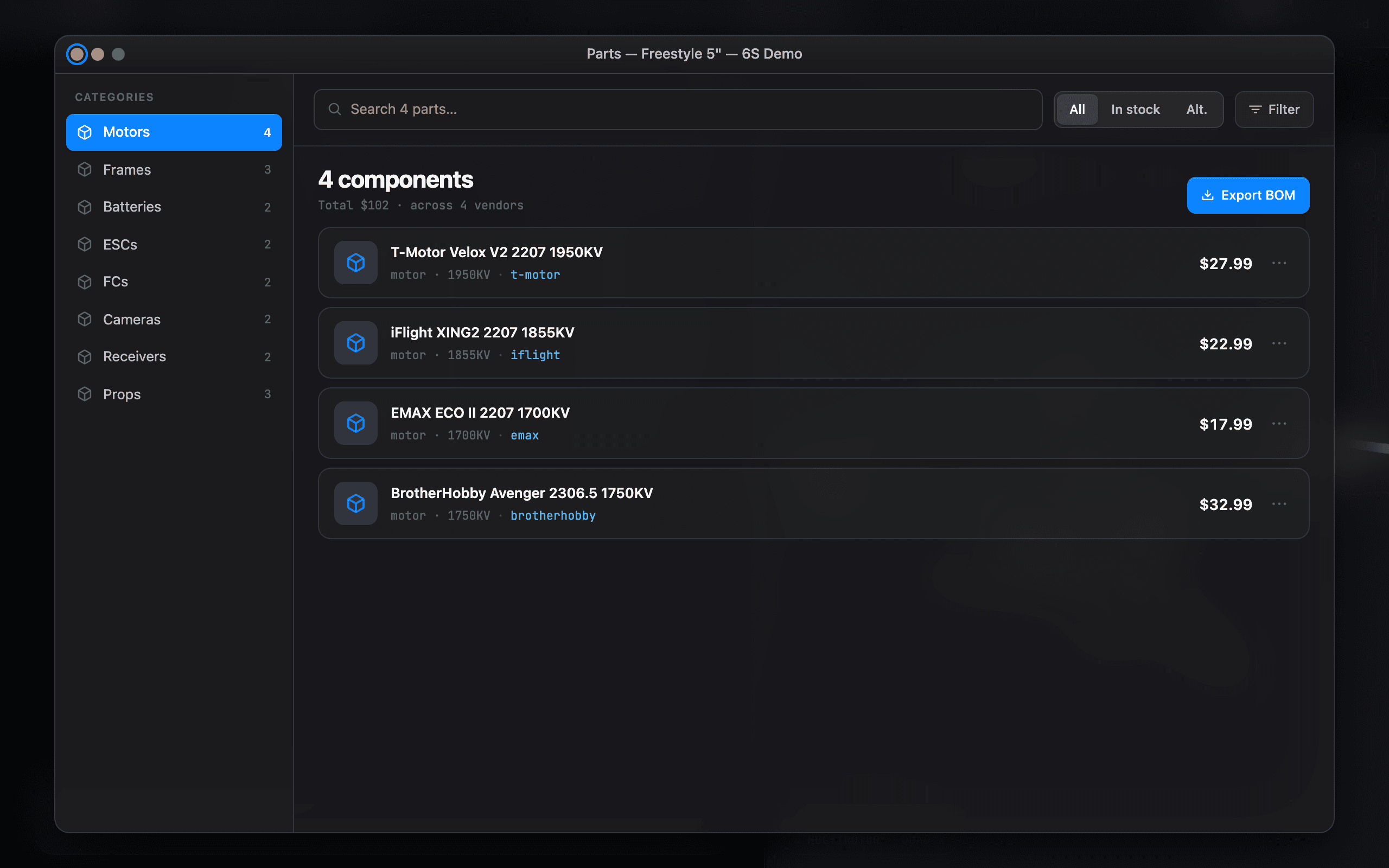
Each part shows its key specs, a vendor price, and links out to the product page so you can confirm details before committing.
Compatibility
DRONA cross-checks parts against each other, not just in isolation. When two parts don’t fit, the compatibility panel explains why in plain English and what to change. Typical catches:
- A prop too large for the frame’s arm length.
- An ESC under-rated for the motor’s peak current draw.
- A flight-controller / ESC stack that won’t physically mount (mounting-hole pitch).
- A battery voltage the motors or VTX can’t take.
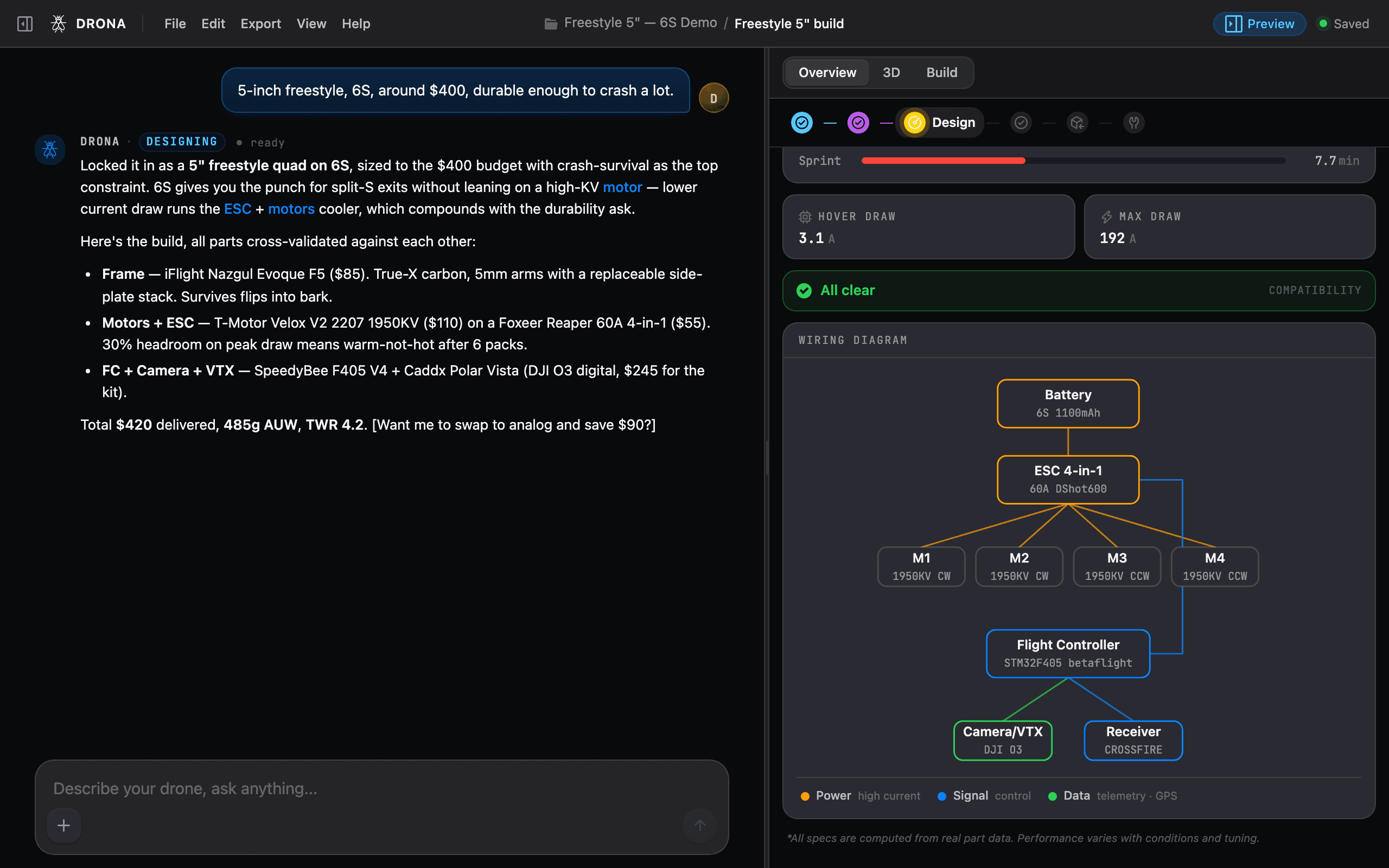
Every rule has a Why expander: the plain-English reason, the formula behind it, and the consequence if you ignore it. The goal is that you learn the engineering, not just trust a green checkmark.
Swapping parts
Two ways to change a component:
- In chat - say “use a cheaper camera” or “swap to a 6S battery” and DRONA picks a fitting part and re-validates the whole build.
- In the browser - pick a specific part yourself and drop it into the build. DRONA immediately re-checks compatibility and flags anything the swap broke.
Where each choice came from
Every part carries a provenance chip so you always know what is deliberate and what is a starting point:
- AI - DRONA chose it to satisfy your request.
- You - you picked it explicitly.
- Default - a sensible placeholder you can change any time.
This matters when you iterate: you can tell at a glance which parts are locked to your intent and which are still up for grabs.