Order the parts
Once your design is locked, the Build tab turns it into a real shopping list. This is the bridge from a design to a box of parts on your desk.
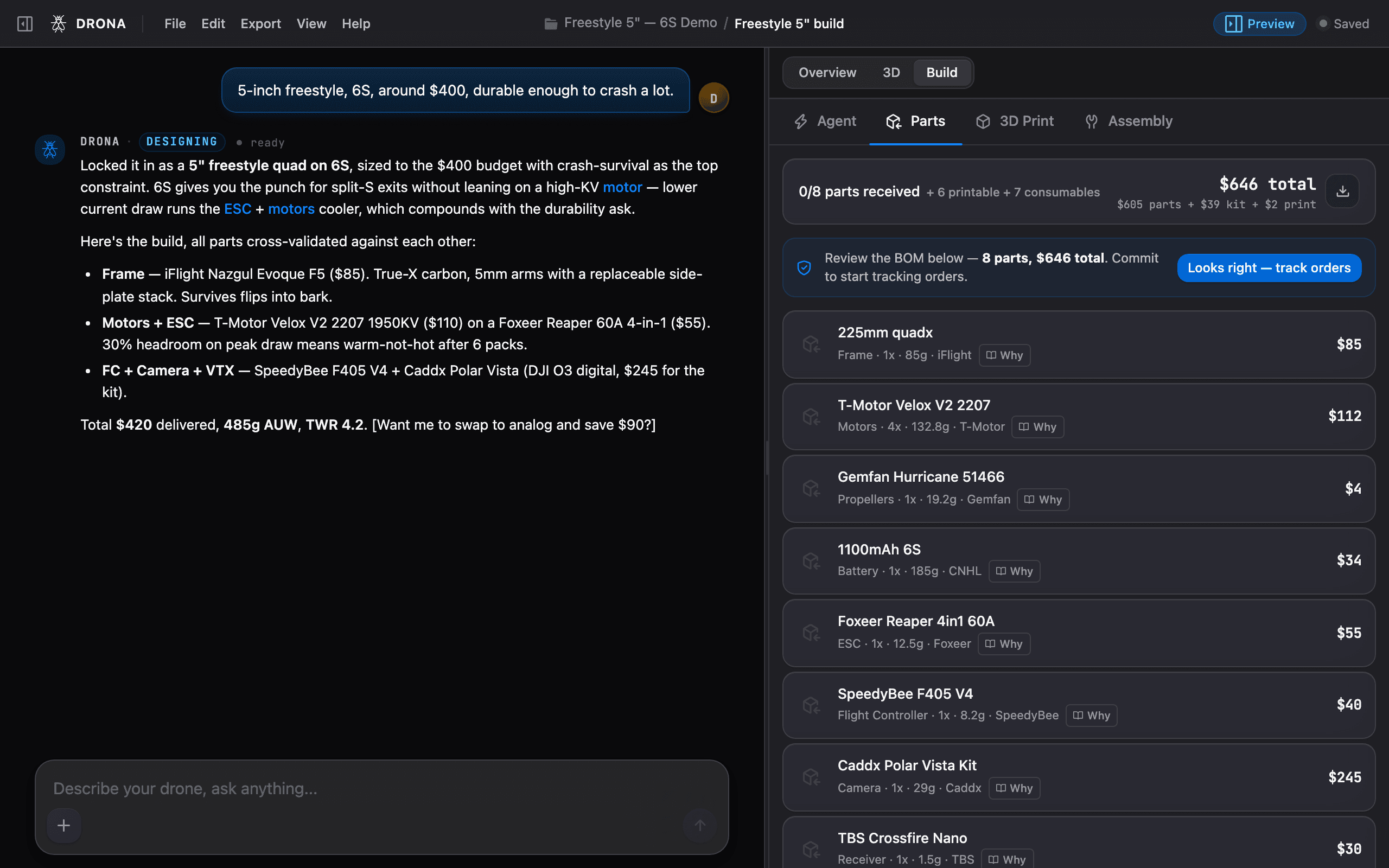
Reading the bill of materials
The BOM is a line-by-line list with a real buy link per line and live pricing. Provenance chips tell you how fresh each line is:
- LIVE - freshly sourced from the web, the buy link points at a current listing.
- NO MATCH - we couldn’t find a current listing, so source this one yourself (the part choice is still valid, only the link is missing).
Each line has a Why pill: why this part, what alternatives were considered, and links to the spec sheet and community builds. Use it to sanity-check before you buy.
Three sections, so nothing surprises you
- Core parts - the drone itself: motors, ESC, flight controller, frame, battery, camera, VTX, receiver, and so on.
- Consumables & wiring - the kit nobody lists but every build needs: XT60 pigtail, silicone wire, M3 hardware, threadlocker, heat shrink, zip ties, battery strap, and a capacitor where the ESC needs one.
- Required separately - gear you reuse across builds (radio, goggles, charger). See What you need.
The totals show all-up cost and weight including consumables, so the number you see is the number you’ll actually spend and fly.
Tips before you check out
- Buy a spare set of props and a spare motor if you’re new, crashes happen.
- Check stock on the vendor page before ordering, the BOM links out but doesn’t hold inventory.
- Group by vendor to save on shipping where you can; the BOM groups lines by vendor to make that easy.
Next: 3D print the parts while you wait for shipping, or jump to Assemble it once everything arrives.
Last updated on